💡 Overview
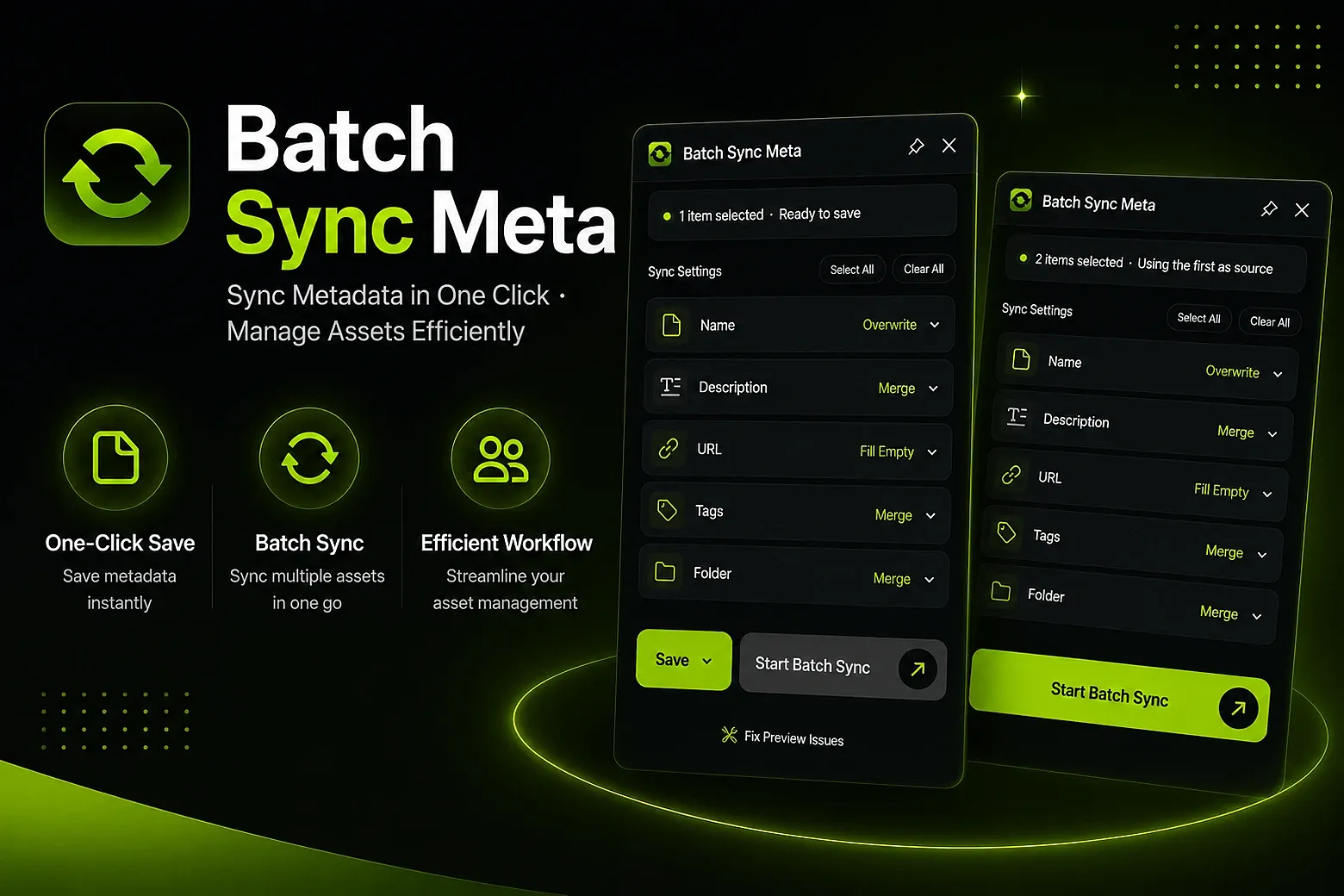
Batch sync metadata such as Name, Description, Link, Tags, and Folder from one file to multiple files.
Supports Overwrite, Merge, Fill Empty Fields Only, and Keep Unchanged modes to fit different workflows.
🚀 Key Features
🎯 Save metadata from any file with one click
🔄 Batch sync metadata to multiple target files
🪄 How to Use
⚡Step-by-Step
Select 1 file → Click Save → Select N files → Click Sync
⚡One-Click
Select N files → Click Sync
🎨 Use Cases
Organize asset libraries and standardize naming
Keep team assets consistent
Migrate assets and sync metadata quickly
✨ Brand-New UI/UX Design
Completely refreshed visual style
Streamlined workflows
Improved status feedback and readability
🛠 New: One-Click Preview Repair
Fixes issues caused by renaming thumbnail previews without updating the original file names.
Automatically syncs asset names with source file names to prevent preview, viewing, or search issues in Eagle.
v0.1.0
You may also like