Gallery Slideshow
Turn images and videos in Eagle into an immersive slideshow for browsing and presenting the library.
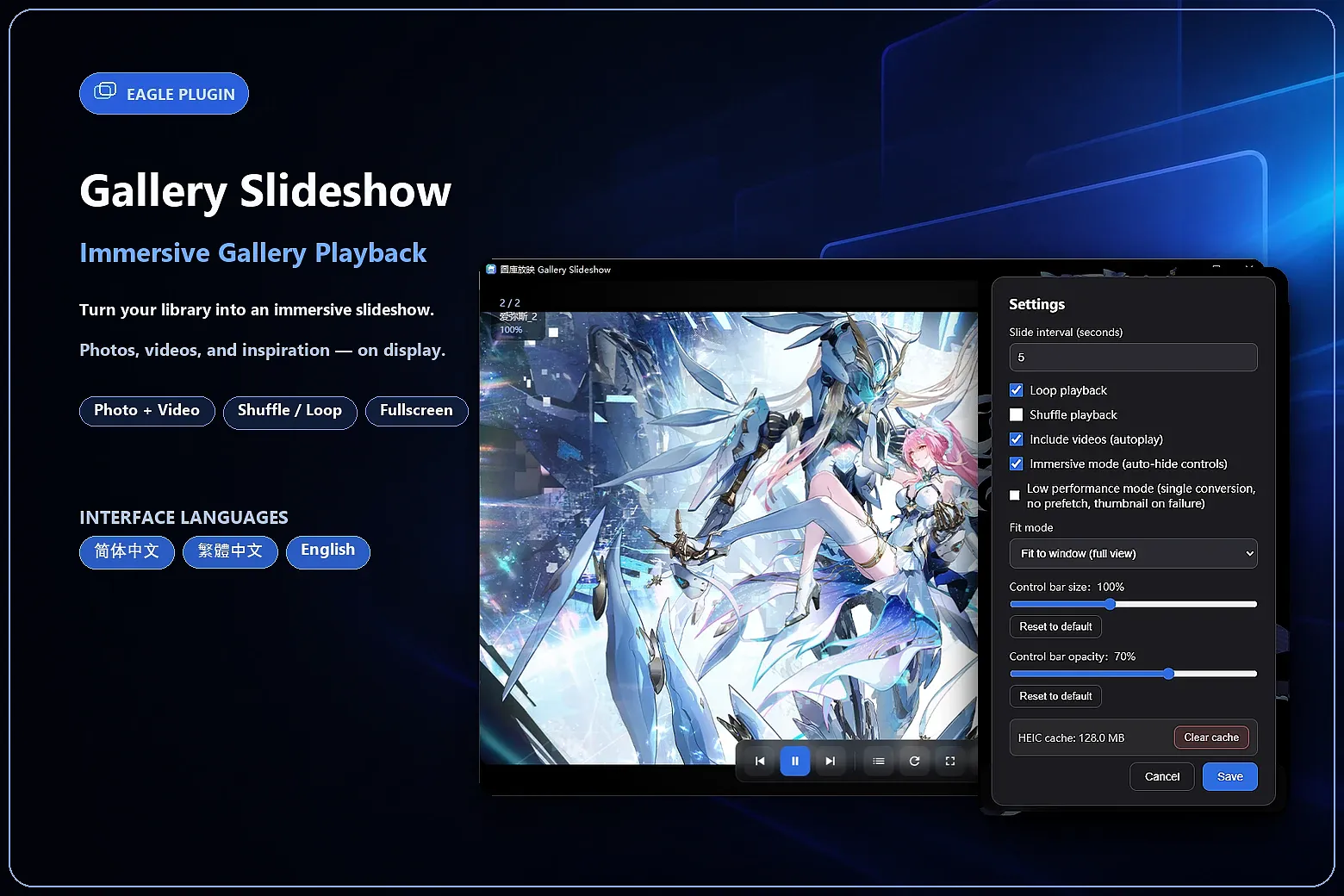
Gallery Slideshow turns selected images, videos, or the contents of an Eagle folder into an immersive slideshow without exporting or reorganizing your files. It is designed for reviewing inspiration, presenting work, screening assets, and browsing your library in full screen.
Key features:
- Sequential, shuffle, and loop playback with a configurable 1–60 second image interval.
- Automatic video playback with advancement when a video ends.
- Fit-to-window and fill-window modes, full-screen playback, and immersive auto-hiding controls.
- Scroll-wheel zoom, drag-to-pan, selection zoom, and double-click reset from 25% to 800%.
- HEIC, HEIF, and common image format support with local decode-cache management.
- Automatic skipping of failed media and a low-performance mode that reduces prefetching and concurrent decoding.
- Adjustable control-bar size and opacity, plus keyboard shortcuts for common actions.
- Interfaces in English, Simplified Chinese, and Traditional Chinese.
How to use:
1. Select images or videos in Eagle, or select a folder.
2. Open Gallery Slideshow to build the playlist and begin playback.
3. Use the bottom controls to navigate, pause, shuffle, or enter full screen. Open Settings to customize playback.
Notes:
- Video playback depends on codecs supported by your operating system and Eagle's embedded browser.
- Opening a HEIC or HEIF file at full resolution may take longer the first time; later loads use the local cache when available.
- Media is read and processed locally. The plugin does not upload your library content.
Version 1.0.0 notes
Initial release with image and video slideshows, sequential/shuffle/loop playback, immersive full screen, zoom controls, HEIC/HEIF decode caching, and interfaces in English, Simplified Chinese, and Traditional Chinese.
You may also like