Boards Importer
Import Pinterest media into Eagle. New items get Pinterest and board tags; matching existing items gain missing board tags and keep existing tags.
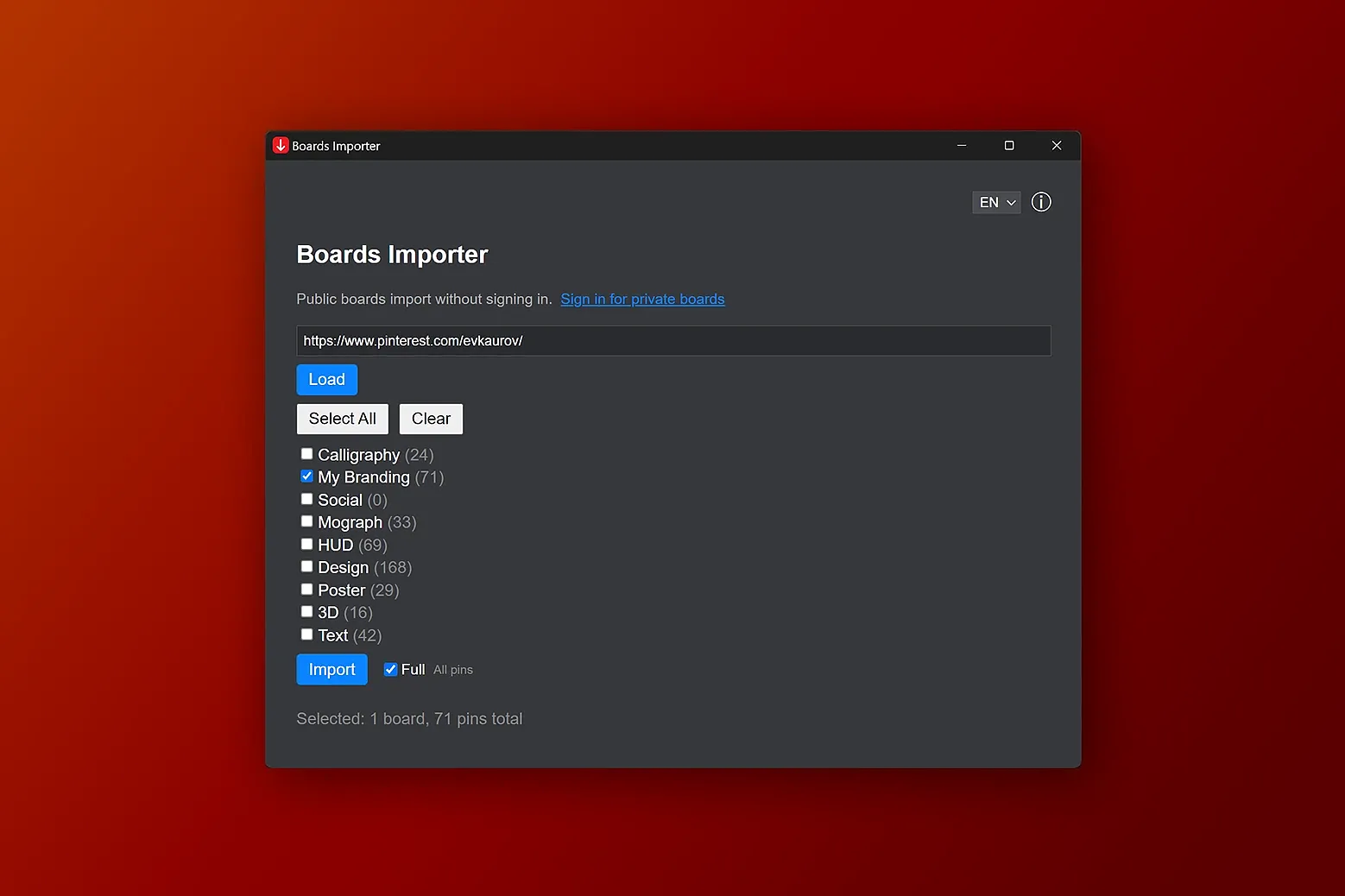
Boards Importer brings media from Pinterest boards into Eagle. Enter a Pinterest profile URL or username, load and select boards, then choose Full or Latest 50 mode. Before the import starts, the plugin shows how many new items it will add and how many existing items will receive board tags, and waits for confirmation.
- Import images, videos, and media from board sections.
- Use available pin titles as item names, save descriptions and outgoing source links in item notes, and set each item's website to its Pinterest pin page.
- Add the “Pinterest” tag and board name tags to new items. When media matches an Eagle item already tagged “Pinterest”, add only missing board name tags to that item while keeping its existing tags. Source tags from Pinterest pins are not imported.
- Recognize duplicate media across selected boards and among Eagle items already tagged “Pinterest”.
- Pause or stop an import. Full mode reads all available pins; Latest 50 mode reads up to 50 pins per selected board.
The plugin connects to Pinterest to read boards and download media. Public boards can be imported without signing in; you can choose to sign in to access your private or secret boards. The sign-in session is stored in the plugin's separate storage partition.
Fixed
- Updated Pinterest board listing, pin loading, and media detection for compatibility with newer Eagle versions.
- Improved video detection for Idea Pins and included media from board sections.
- Improved Pinterest sign-in and sign-out handling.
- The import confirmation initially focuses Cancel. Escape cancels, and Continue requires deliberate activation.
Added
- Before writing anything, the plugin shows the number of new items and existing items that will receive board tags, and requests confirmation.
- Public-board imports without signing in. Optional Pinterest sign-in is available for private or secret boards.
- Pause, Resume, and Stop controls for an import.
- Support for entering a username instead of a full profile URL.
- A summary of boards where Pinterest returns fewer pins than the displayed board count.
Changed
- Board and pin retrieval uses paginated requests, replacing the previous browsing-based limits and reduced macOS mode.
- Duplicate media across selected boards is imported once with the relevant board name tags.
- New items receive the “Pinterest” tag and board name tags. Matching existing items already tagged “Pinterest” receive only missing board name tags and keep their existing tags.
- Clarified the English listing and English/Russian help: source tags from Pinterest pins are not imported. This resubmission updates text only; import behavior is unchanged from the previous submission.
Improvements
- Automatic platform detection: Plugin now automatically detects the operating system (Windows/macOS)
macOS-specific changes
- Disabled browser scraping on macOS: Automatic browser window opening for media extraction is now disabled on macOS due to system security restrictions
- Clear limitation warnings: Added informative disclaimer explaining macOS limitations (last 10 boards, last 50 pins per board)
Technical improvements
- Improved console logging: Added debug information for platform detection and skipped operations
- Code cleanup: Simplified initialization process and platform detection
User Experience
- Transparent operation: Users are clearly informed about platform-specific limitations
First release
You may also like