CBZ Reader
Fast comic reader for CBZ and CBR with single/double/continuous views. Thumbnails from first page. Create CBZ from selected images.
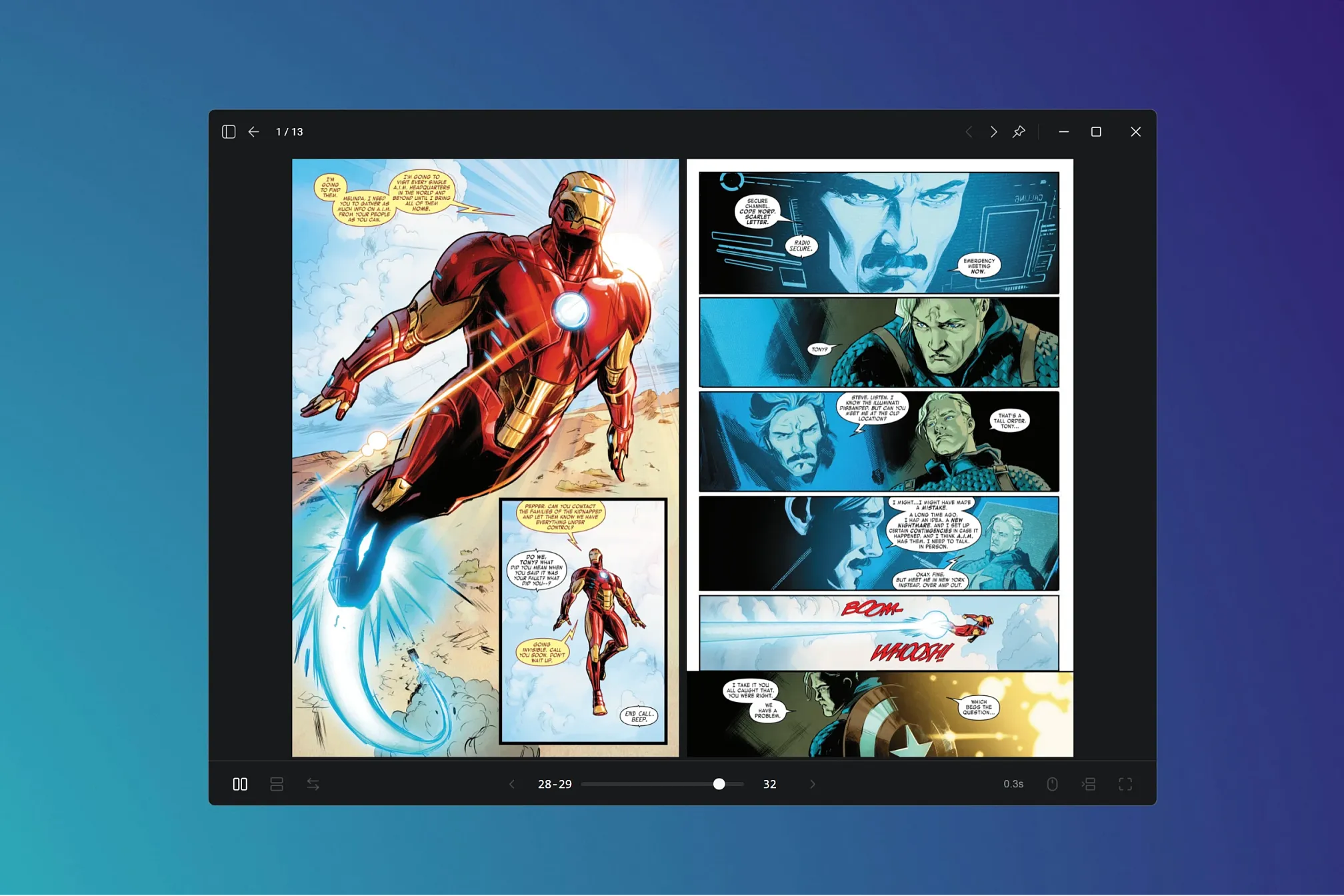
This plugin adds a comic viewer to Eagle so you can read archived comics without switching to another app.
Features
- Read CBZ and CBR archives natively inside Eagle
- JPEG, PNG, GIF, WebP, BMP and AVIF pages, including animated WebP, GIF and AVIF
- Single page, double page spread, and continuous vertical scrolling layouts
- Right-to-Left (RTL) and Left-to-Right (LTR) reading direction support
- Hardware-accelerated scaling and downsampling for large, high-resolution pages
- Thumbnails generated from the first page
- CBZ Packer utility for building archives from selected images
Reading a CBZ & CBR
- Add .cbz or .cbr files to your Eagle library. Eagle generates a thumbnail from the first page of each archive.
- Double-click an archive to open it.
- Turn pages with the arrow keys, the mouse wheel, or the on-screen navigation.
- Switch between single page, double page and continuous vertical scrolling from the reader's view controls.
- Left-click and drag to pan; right-click and drag to zoom.
- Close the reader to go back to your library. Your page position is saved for 24 hours.
Creating a CBZ
- Select the images you want in Eagle, in any order.
- Open the plugin from Eagle's plugin menu. The CBZ Packer window opens with your selection listed.
- Reorder pages by dragging rows, and remove a page from the list with the × button. You can also drag image files from your computer onto the window to add them. Changing this list only changes what goes into the new archive.
- Type a file name. The .cbz extension is added for you.
- Click Create CBZ. The archive is created and added to your library, in the folder you currently have selected.
The CBZ Packer has an optional "Move originals to Trash" checkbox - when enabled, the Eagle items you selected are moved to Eagle's Trash after the new CBZ has been created, added to your library. Images you dragged in from outside Eagle are never touched. You are asked to confirm before anything is created or moved, and the confirmation tells you how many items are affected. Trashed items stay in Eagle's Trash and can be restored from there until you empty it.
v1.3.4
2026-09-01
- replaced @napi-rs/image with custom build image processing module