Custom Export
Batch convert image and video formats with support for 35+ input formats and 14 output formats.
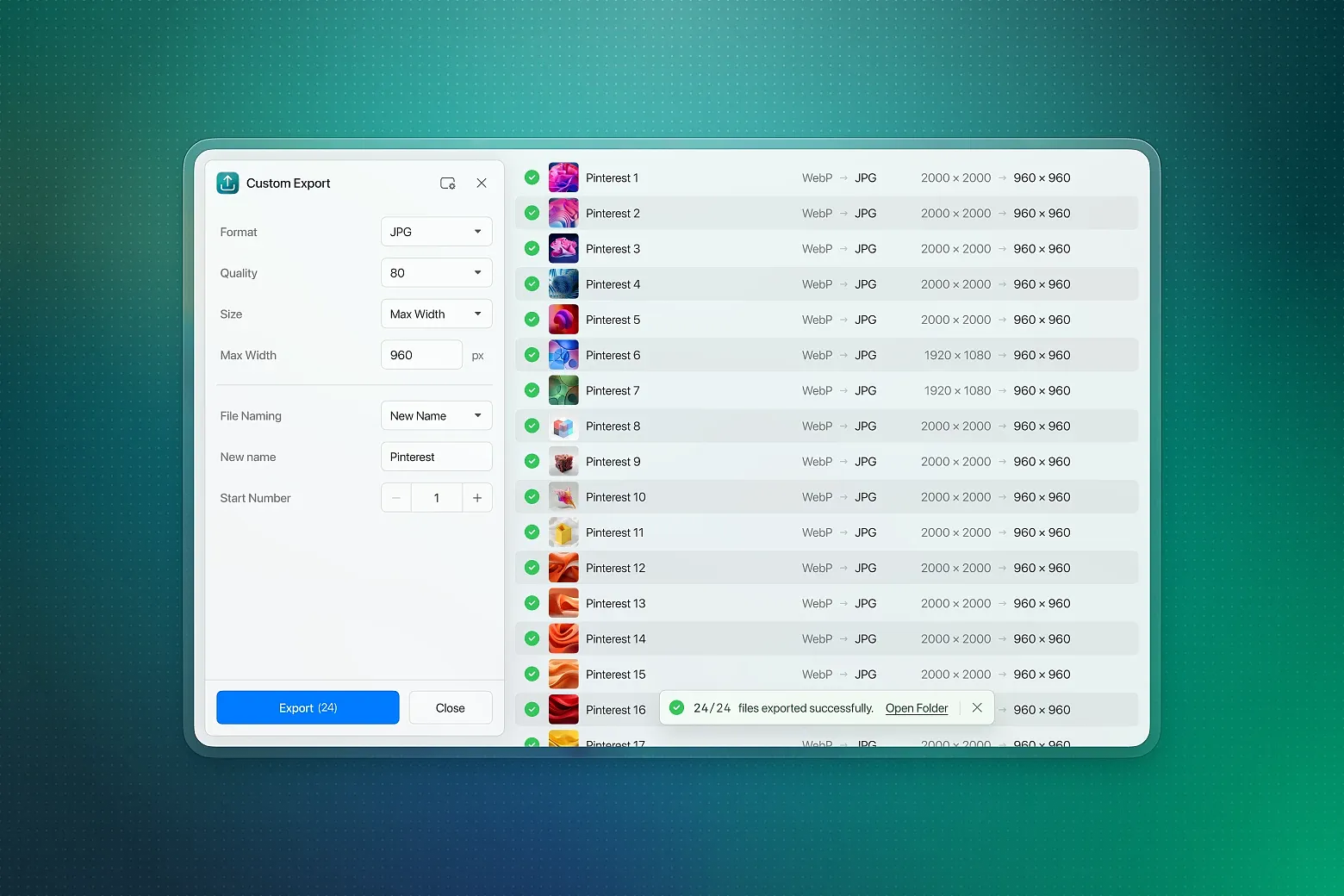
Struggling with complex format conversions? Need batch processing but can't find the right tool? Eagle Custom Export plugin is your ultimate solution. Whether it's daily image format conversion, professional video encoding, or next-generation format optimization, this plugin handles it all with ease.
🚀 Comprehensive Format Support
Convert files directly from your Eagle library. Supports 35+ input formats covering all mainstream image and video formats. From traditional JPG and PNG to professional AVIF, JXL, and HEIC, from common MP4 to professional ProRes, we handle them all perfectly.
🎬 Smart Animation Processing
Automatically detects and preserves animation formats. Supports seamless conversion between GIF, APNG, and animated WebP with adjustable frame rates and file size optimization, making animation conversion effortless.
⚡ Efficient Batch Processing
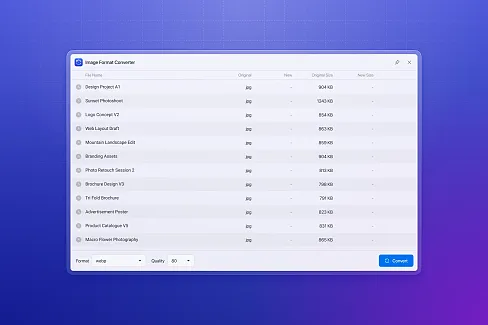
Select multiple files at once and the system automatically queues them for processing. Mix images and videos without issues. Parallel conversion architecture dramatically improves efficiency, eliminating tedious one-by-one conversions.
🎛️ Precise Quality Control
Quality Settings: 0-100 precise adjustment, balancing file size and visual quality
Size Adjustment: Smart scaling, fixed dimensions, percentage adjustment while maintaining optimal aspect ratio
Advanced Parameters: Professional-grade parameter adjustments for different formats (e.g., H.264/H.265 encoding, VP8/VP9 selection)
💾 Preset Configuration System
Save your frequently used conversion settings as presets for one-click application, saving time on repetitive configurations. Perfect for workflows requiring standardized output.
🔧 Multiple Conversion Engines
Smart integration of various conversion technologies:
FFmpeg: Professional-grade audio/video processing engine
Canvas API: Browser-native high-speed conversion
WASM Decoders: Support for HEIC, AVIF, JXL and other new formats
Automatic Fallback: Automatically switches to backup engine when one method fails
📊 Real-time Progress Monitoring
Clear progress bars show conversion status for each file with detailed error messages to help you quickly resolve issues. One-click access to output folder for easy result viewing.
📋 Supported Formats
Input Formats (35+)
Traditional Images: JPG, PNG, BMP, GIF, TIF/TIFF, ICO
Next-gen Images: AVIF, WebP, JXL, HEIC/HEIF
Professional Formats: EXR, HDR, TGA, DDS, SVG
Video Formats: MP4, MOV, WebM, MKV, M4V
Others: INSP (Insta360)
Output Formats (14)
Traditional Images: JPG, PNG, BMP, GIF, TIF, ICO
Animation Formats: GIF, APNG, Animated WebP
Next-gen Images: AVIF, JXL, WebP
Professional Formats: TGA, EXR, HDR
Video Formats: MP4 (H.264/H.265), WebM (VP8/VP9)
🛠️ Technical Features
Modular Architecture: Extensible converter system for easy addition of new format support
Memory Optimization: Smart queue management to prevent memory overflow with large batches
Error Recovery: Single file failures don't affect batch processing, automatically skips and logs
Hardware Acceleration: Supports GPU-accelerated encoding (requires compatible hardware)
Open Source: Plugin source code available on GitHub
📖 How to Use
Select files to convert in Eagle
Open Custom Export plugin
Choose output format and parameter settings
Click start conversion and wait for completion
One-click to open output folder and view results
Fixed an issue where quality adjustments were not applied when exporting to the same format without resizing. Files now re-encode when quality is below 100, while quality 100 keeps the original file unchanged.
Fixed an issue where certain JPEG images would export as completely black. This is
a known Chromium GPU decoding bug, now resolved by switching to CPU rendering.
Fixed dropdown menus and context menus inside the preset dialog being blocked and
unclickable.
Improved UI details and visual consistency
Initial preview release
You may also like